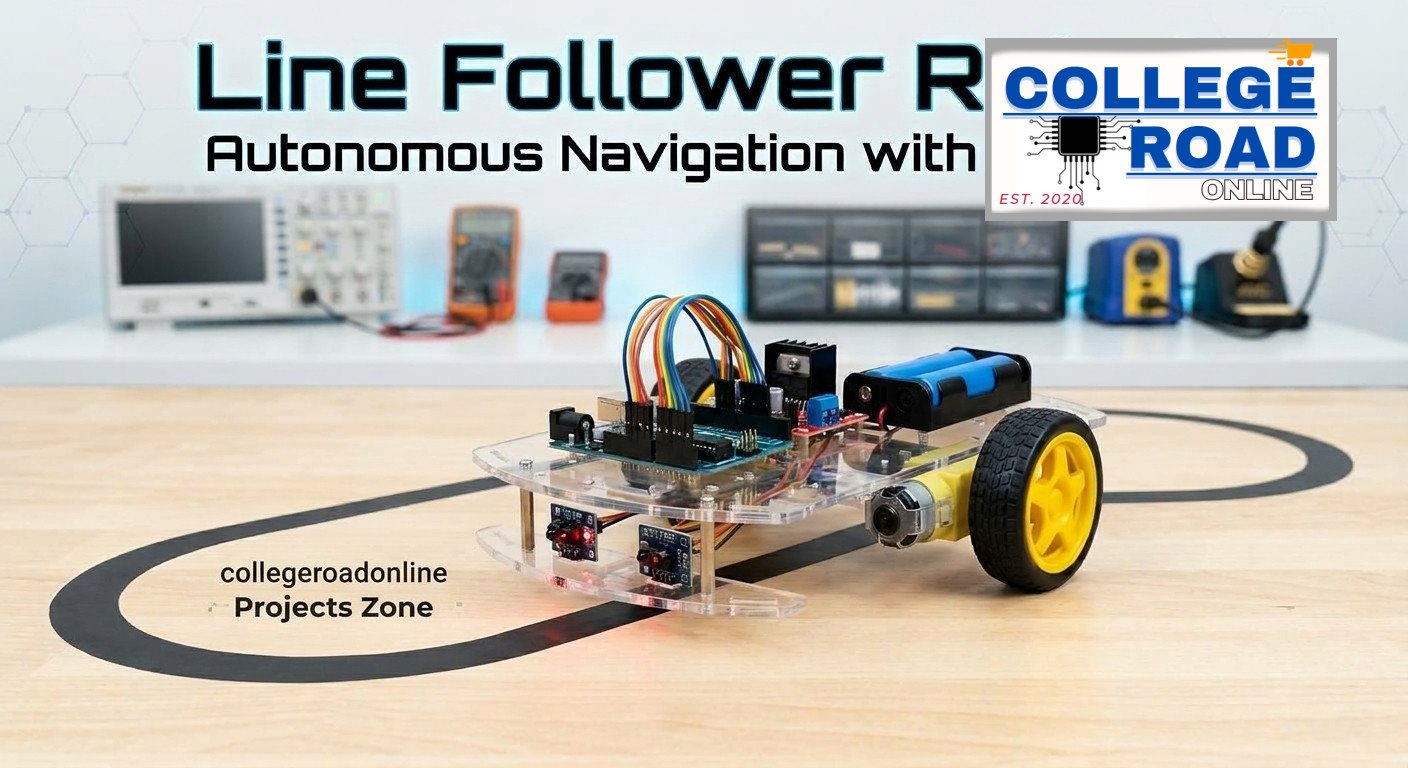
If you have just purchased the 2WD Line Follower Robot Kit Using Arduino in Pakistan from Collegeroadonline, you are ready to dive into one of the most exciting hands-on projects in robotics. A Line Follower Robot (LFR) is an autonomous mobile car designed to track and follow a visible line (typically black tape on a white surface) without human intervention.
Whether you are building this for a university engineering semester project, a school science exhibition, or as a hobbyist maker in Pakistan, this comprehensive assembly and programming guide will walk you through every step from unboxing to your robot’s first autonomous run.
What Comes in Your Kit?
Before starting, ensure all components from your Collegeroadonline package are laid out cleanly on your workbench:
- 1 x Acrylic 2WD Smart Robot Car Chassis Plate
- 2 x Dual-Shaft Geared DC Motors (3V–6V)
- 2 x High-Traction Rubber Wheels
- 1 x Front Omnidirectional Caster Wheel
- 1 x Arduino Uno R3 SMD Development Board (with USB Cable)
- 2 x TCRT5000 IR Line Tracking Sensor Modules
- 1 x L298N Dual H-Bridge Motor Driver Module
- 1 x 2-Slot 18650 Battery Holder
- 2 x 18650 Rechargeable Li-Ion Batteries
- 1 x Set of Premium Jumper Wires (Male-to-Female & Male-to-Male)
- 1 x Mounting Screw, Nut, and Standoff Set
Step 1: Mechanical Chassis Assembly
Building a sturdy mechanical foundation ensures your robot moves smoothly and tracks lines accurately.
- Peel Protective Film: Remove the plastic protective film from both sides of the transparent acrylic chassis plate.
- Mount the DC Motors: Attach the two DC gear motors to the underside of the bottom plate using the included motor brackets, long screws, and nuts. Make sure the output shafts face toward the rear.
- Attach the Wheels: Push the yellow rubber wheels firmly onto the dual-shaft gear motor pins.
- Install the Caster Wheel: Screw the front omnidirectional metal/plastic caster wheel into the front slot of the chassis to balance the frame.
- Mount the IR Sensors: Secure the two TCRT5000 IR sensor modules to the front underside of the chassis, facing downward. Adjust them so they sit approximately 5mm to 8mm above the floor surface.
Step 2: Electronic Wiring & Circuit Connections
Proper wiring prevents logic crashes and ensures your motors get clean power from your 18650 battery stack.
Power Distribution:
Connect the Red wire (+7.4V) from your 2-slot 18650 battery holder to the 12V terminal on the L298N motor driver.
Connect the Black wire (GND) from the battery holder to the GND terminal on the L298N driver.
Run a jumper wire from the L298N GND terminal to a GND pin on the Arduino Uno SMD to create a Common Ground.
L298N Motor Driver to Arduino Uno SMD:
IN1 -> Arduino Digital Pin 4 (Left Motor Control 1)
IN2 -> Arduino Digital Pin 5 (Left Motor Control 2)
IN3 -> Arduino Digital Pin 6 (Right Motor Control 1)
IN4 -> Arduino Digital Pin 7 (Right Motor Control 2)
TCRT5000 IR Sensors to Arduino:
Left IR Sensor:
VCC-> Arduino 5VGND-> Arduino GNDOUT(Digital Output) -> Arduino Digital Pin2
Right IR Sensor:
VCC-> Arduino 5VGND-> Arduino GNDOUT(Digital Output) -> Arduino Digital Pin3
Step 3: Arduino Sample Code
Connect your Arduino Uno SMD to your computer using the USB cable, open the Arduino IDE, and upload the code below:
// Define IR Sensor Pins
const int leftSensorPin  = 2;
const int rightSensorPin = 3;

// Define L298N Motor Control Pins
const int in1 = 4; // Left Motor Forward
const int in2 = 5; // Left Motor Reverse
const int in3 = 6; // Right Motor Forward
const int in4 = 7; // Right Motor Reverse

void setup() {
  // Initialize Sensor Pins as Inputs
  pinMode(leftSensorPin, INPUT);
  pinMode(rightSensorPin, INPUT);

  // Initialize Motor Pins as Outputs
  pinMode(in1, OUTPUT);
  pinMode(in2, OUTPUT);
  pinMode(in3, OUTPUT);
  pinMode(in4, OUTPUT);

  // Stop motors initially
  stopRobot();
}

void loop() {
  int leftState  = digitalRead(leftSensorPin);
  int rightState = digitalRead(rightSensorPin);

  // Assuming a BLACK line on a WHITE background:
  // HIGH (1) = Black Line Detected | LOW (0) = White Surface Detected

  if (leftState == LOW && rightState == LOW) {
    // Both sensors on white -> Move Forward
    moveForward();
  }
  else if (leftState == HIGH && rightState == LOW) {
    // Left sensor hits line -> Turn Left to correct
    turnLeft();
  }
  else if (leftState == LOW && rightState == HIGH) {
    // Right sensor hits line -> Turn Right to correct
    turnRight();
  }
  else {
    // Default fallback -> Stop
    stopRobot();
  }
}

void moveForward() {
  digitalWrite(in1, HIGH);
  digitalWrite(in2, LOW);
  digitalWrite(in3, HIGH);
  digitalWrite(in4, LOW);
}

void turnLeft() {
  digitalWrite(in1, LOW);
  digitalWrite(in2, HIGH);
  digitalWrite(in3, HIGH);
  digitalWrite(in4, LOW);
}

void turnRight() {
  digitalWrite(in1, HIGH);
  digitalWrite(in2, LOW);
  digitalWrite(in3, LOW);
  digitalWrite(in4, HIGH);
}

void stopRobot() {
  digitalWrite(in1, LOW);
  digitalWrite(in2, LOW);
  digitalWrite(in3, LOW);
  digitalWrite(in4, LOW);
}
Step 4: Track Testing & Calibration
Build a Track: Lay down a bold black electrical tape path (around 1 inch wide) on a plain white surface or laminated chart paper.
Power Up: Insert your charged 18650 cells into the holder and switch the system on.
Calibrate Sensors: Use a small precision screwdriver to adjust the blue onboard potentiometer dials on the TCRT5000 modules. Adjust until the indicator LEDs toggle cleanly between white flooring and the black tape line.
Test: Place your robot straddling the black line and watch it navigate autonomously!
Get Your Kit Today
Need reliable hardware components for your academic projects? Order the official 2WD Line Follower Robot Kit Using Arduino in Pakistan directly from Collegeroadonline.com for fast nationwide delivery and guaranteed component quality.
A: This usually happens when one of the motor wiring pairs (IN1/IN2 or IN3/IN4) is reversed, or one of the IR sensors is miscalibrated. Swap the motor terminal wires or recalibrate the potentiometer on the affected IR sensor module.
A: Standard 9V PP3 batteries do not provide sufficient current (Amps) to drive two DC gear motors and the Arduino simultaneously. We strongly recommend using two 18650 Li-ion rechargeable cells (7.4V DC total) for optimal torque and runtime.
A: You can order the complete unassembled or pre-assembled kit directly from Collegeroadonline.com with fast delivery across Rawalpindi, Islamabad, Lahore, Karachi, and nationwide.